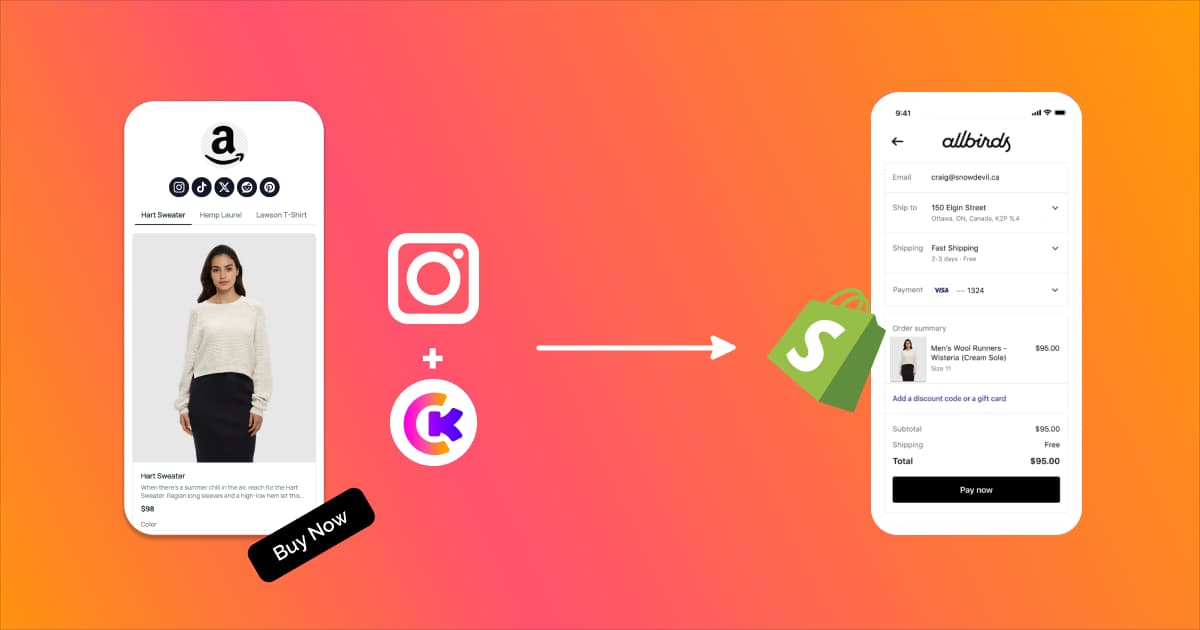
Finding the best link in bio for Shopify is harder than it should be. Most of the tools that dominate "best of" lists were built for influencers, podcasters, and content creators. They're good at organizing links. They're terrible at selling products.
Shopify merchants have a different set of problems. You need product sync that reflects real inventory. You need checkout that doesn't bounce shoppers through four pages before they can pay. You need retargeting pixels so the 97% of visitors who don't buy on the first visit can be brought back with ads. And you need data that tells you which products, which layouts, and which traffic sources are actually driving revenue.
Since Linkpop shut down in July 2025 [1], the market has shifted. New tools have entered, existing ones have bolted on ecommerce features, and Shopify sellers are stuck sorting through options that all sound similar in their marketing copy but perform very differently in practice. This guide cuts through that noise. We tested and compared seven Shopify bio link tools on the criteria that matter for sellers, not creators, and ranked them accordingly.
If you're migrating from Linkpop specifically, our Linkpop alternatives guide covers the shutdown timeline, data loss details, and a 15-minute migration plan. This article is the broader buying guide: which tool is the best fit for your store, your revenue level, and your growth goals in 2026.
Build your Shopify bio page free with Klyqme
Why Shopify Sellers Need a Different Bio Link Tool
A content creator's bio page is a directory. Links to a podcast, a YouTube channel, a newsletter signup, maybe a merch store. The page exists to organize content. Clicks are the primary metric, and nearly any bio link tool handles this fine.
A Shopify seller's bio page is a storefront. Products need to display with accurate pricing and availability. Checkout needs to be fast and frictionless on mobile. Every visitor who doesn't convert needs to be pixeled for retargeting. And the analytics need to connect to revenue, not just count taps.
These are fundamentally different use cases, and they demand fundamentally different tools.
Shopify-Specific Needs Most Tools Ignore
Product sync and inventory awareness. If you feature a product on your bio page that's out of stock in Shopify, you're sending traffic to a dead end. Worse, you're burning ad spend driving visitors to a page that can't convert. A proper Shopify bio link tool should either sync product availability automatically or make it trivially easy to update. Most tools do neither.
Direct checkout on mobile. Social commerce is overwhelmingly mobile: over 91% of social purchases happen on phones [2]. Every additional page load between "I want this" and "I bought this" costs you conversions. The best link-in-bio tools for Shopify offer some form of streamlined checkout, whether native, through Stripe Connect, or via deep links into Shopify's checkout. The worst ones just link to your homepage and hope visitors find their way.
Retargeting pixels. The average ecommerce conversion rate hovers around 2-3%. That means for every 100 visitors to your bio page, 97 leave without buying. Without Meta Pixel, Google Tag, TikTok Pixel, or LinkedIn Insight Tag installed on your bio page, those 97 visitors are gone forever. You can't retarget them. You can't build lookalike audiences from them. You can't run dynamic product ads to bring them back. For a Shopify seller spending money on social content and ads, this is the single most expensive gap in most bio link tools.
Attribution tracking. Over 40% of social traffic appears as "Direct" in Google Analytics because in-app browsers strip referrer data [3]. If your bio link tool doesn't automatically propagate UTM parameters to every outbound link, your attribution data is broken. You're making budget decisions without knowing which platform, which campaign, or which content piece drove each sale.
The Linkpop Gap
Shopify's own Linkpop was supposed to solve this. It launched in March 2022 with shoppable product embeds and native Shopify checkout [4]. The pitch was compelling: a free bio page tool from the same company that runs your store.
But Linkpop never matured. No retargeting pixels. No A/B testing. No UTM propagation. No custom domains. It stayed basic for three years, and then Shopify pulled the plug entirely on July 7, 2025 [1]. No migration path. No data export. Thousands of merchants woke up to dead bio page URLs with no warning beyond a terse email.
The lesson is worth remembering as you pick your next tool: a bio link page run by a company whose core business is something else (Shopify's is commerce infrastructure, not marketing tools) will always be at risk of being deprioritized or killed. A dedicated tool from a company that lives and dies by it is a safer bet.
What Changed Since July 2025
The post-Linkpop market looks different. LinkShop saw a surge of Shopify merchants migrating to its native app. Linktree added more commerce features to capture the displaced users. New entrants like Taplink gained traction in the gap. And tools built specifically for ecommerce sellers (Klyqme among them) have refined their Shopify-specific features based on what former Linkpop users actually need.
The field is bigger, which is good for competition. But it also means more options to evaluate, and more marketing claims to verify against reality.
How We Evaluated Each Tool
Every tool on this list was assessed against seven criteria, weighted by their importance to Shopify merchants specifically.
Shopify integration depth. Does it sync products natively? Does it reflect real-time inventory and pricing? Can it pull product images and descriptions from your catalog, or do you manually recreate everything?
Direct checkout capability. Can visitors buy without leaving the bio page, or does every product click bounce them to a full store page? How many taps from product to payment?
Retargeting pixel support. Which pixels does it support natively? Meta Pixel, Google Tag, TikTok Pixel, LinkedIn Insight Tag? Are pixels available on free plans or gated behind paid tiers?
A/B testing. Can you create multiple page variations and split traffic between them? Can you compare conversion data across variations? This is rare in bio link tools, but it's the single fastest way to improve conversion rates.
Custom domains. Can you use links.yourbrand.com instead of toolname.com/yourbrand? Custom domains build brand equity and look more professional. They also protect you from platform risk: if you ever switch tools, you keep the URL.
Transaction fees. What percentage does the tool take on each sale made through the bio page? This is where "free" tools often cost more than paid ones. A 9% fee on $5,000/month in bio page sales is $450/month. That's not free.
Analytics quality. Does the tool report clicks, or does it report revenue? Can you see conversion rates by traffic source, by product, by page variation? Surface-level click counts are not analytics.
The 7 Best Link-in-Bio Tools for Shopify in 2026
#1 Klyqme: Best Overall for Shopify Sellers
Pricing: Free / Core $19/mo / Growth $49/mo | See plans
Klyqme was built for merchants, not creators, and that orientation shows up in every feature. Direct checkout through Stripe Connect lets visitors buy products in two taps, right from the bio page. No multi-page detour through your full store. On mobile, where the vast majority of social commerce happens, that friction reduction is the difference between a sale and a bounce.
The standout feature is A/B testing. Klyqme is the only tool on this list that lets you create multiple bio page variations, share each with different audience segments or platforms, and compare conversion data side by side. If you want to know whether putting your bestseller first outperforms leading with a seasonal promotion, you test it and let real visitors decide. Our step-by-step A/B testing guide walks through how to set up your first experiment.
Retargeting pixel support is comprehensive: Meta Pixel, Google Tag, TikTok Pixel, and LinkedIn Insight Tag, all natively integrated. Automatic UTM propagation appends attribution parameters to every outbound link on your bio page, solving the dark traffic problem that makes social commerce analytics unreliable. Smart routing serves different content based on visitor country or device, which is a meaningful feature for sellers with international audiences.
On the practical side: custom domains, 24+ block types (product cards, image galleries, video embeds, email capture with Mailchimp integration, countdown timers, FAQ sections, digital product delivery), customizable QR codes for packaging inserts, and a link import tool for migrating from other platforms. Transaction fees scale with your plan: 5% on Free, 2% on Core, zero on Growth.
Where it falls short: Klyqme is newer than Linktree and Beacons. The user community is smaller, and there's less third-party content (tutorials, templates) compared to more established tools. If you need native real-time Shopify catalog sync (the kind where inventory changes propagate automatically), LinkShop's native app integration is tighter. Klyqme handles products through its product blocks and Stripe Connect, which works well but requires manual product setup.
Best for: Shopify sellers doing $1,000+/month in social-driven revenue who want direct checkout, pixel tracking, A/B testing, and proper attribution in one tool. The Growth plan at $49/month with zero transaction fees pays for itself quickly at volume.
#2 LinkShop: Best Native Shopify Integration
Pricing: From $5/mo (Shopify App Store) | 7-day free trial [5]
LinkShop does one thing that no other tool on this list does as well: native, real-time Shopify catalog sync. Because it's a Shopify app installed directly through your admin, it pulls product images, titles, prices, and inventory status automatically. Change a price in Shopify, and LinkShop updates instantly. Mark a product as sold out, and it disappears from your bio page. For merchants with large, frequently changing catalogs, this hands-off sync is genuinely valuable.
The design is clean and mobile-first. At $5/month, it's the cheapest paid option here. Setup takes minutes because it reads your existing catalog rather than requiring manual product entry. Zero transaction fees on sales.
The trade-off is everything beyond basic product display. No retargeting pixels. No A/B testing. No UTM propagation. No custom domain support. No email capture. No analytics beyond basic click counts. And because it's a Shopify-only app, it won't follow you if you ever expand to WooCommerce, BigCommerce, or a headless setup.
Best for: Small Shopify merchants who want a simple, cheap product showcase in their bio and aren't concerned with retargeting, conversion optimization, or attribution tracking. If your needs grow beyond a basic catalog display, you'll outgrow LinkShop quickly.
#3 Linktree: Most Popular, Limited Ecommerce
Pricing: Free / Starter $5/mo / Pro $9/mo / Premium $24/mo [6]
Linktree invented the category. With over 50 million users, it has massive brand recognition, extensive template options, and a polished interface. The Shopify integration, launched in 2021 [7], lets you display products from your catalog on your bio page. Linktree Shops supports digital product sales. For a general-purpose bio link tool, it's excellent.
For Shopify sellers, the limitations are real. The Shopify integration caps you at six products [7]. That's a hard ceiling, not a soft one. If you have a 200-SKU catalog and want to feature your top 15 products, you can't. Products link to your Shopify store rather than offering any in-page checkout; every product click takes the visitor off your bio page and into a multi-step store experience. Pixel support exists on paid plans but is limited to Meta and Google (no TikTok, no LinkedIn). UTM parameters require manual configuration on each individual link. No A/B testing on any plan.
The ecommerce features that matter most, conversion pixels, testing, direct checkout, are either absent or buried in the $24/month Premium tier. At that price point, you're paying for a general-purpose tool and not getting the commerce-specific features that cheaper or similarly priced alternatives offer.
Best for: Merchants who prioritize brand recognition and simplicity, or who use their bio page primarily for content (blog posts, YouTube links) with products as a secondary element. Not the right tool if selling is the primary goal.
#4 Beacons: Best for Digital Creators, Expensive for Shopify
Pricing: Free / Creator Pro $10/mo / Store Pro $30/mo / Business Pro $90/mo [8]
Beacons is impressively feature-rich. Link-in-bio pages, a digital product store, email marketing, media kit builder, invoicing, AI-powered brand outreach, and content generation tools. The customization options are among the best in the market. Custom domains unlock at Creator Pro ($10/mo). The platform feels modern and polished.
The problem for Shopify merchants is economic and structural. Beacons charges a 9% transaction fee on Free and Creator Pro plans [8]. On $3,000/month in bio page sales, that's $270/month in fees, on top of Stripe's 2.9% + 30 cents. Eliminating the transaction fee requires Store Pro at $30/month. There's no native Shopify integration: no product sync, no real-time inventory, no connection to your Shopify catalog. You can link to your store, but that's it. No A/B testing on any plan. And a significant chunk of what you're paying for (media kits, invoicing, AI outreach) was designed for influencers negotiating brand deals, not merchants selling products.
Best for: Digital product creators selling courses, templates, and ebooks who also want email marketing and media kit tools in one platform. Shopify merchants selling physical products will pay for features they'll never use while missing the ones they need most.
#5 Stan Store: Best for Courses, Not Commerce
Pricing: Creator $29/mo / Creator Pro $99/mo | No free plan [9]
Stan Store is a storefront for digital creators. Courses, coaching sessions, subscriptions, digital downloads. It does these well, with built-in course creation tools, calendar booking for coaching, integrations with Mailchimp, Google Calendar, and Zoom, and zero transaction fees on both plans [9]. The design is clean. The checkout is fast. For its intended audience, it works.
For Shopify sellers, the fit is poor. At $29/month minimum with no free plan, it's the most expensive entry point on this list [9]. There's no Shopify integration: no product sync, no inventory management, no way to sell your existing catalog through Stan. Retargeting pixels (Meta Pixel, TikTok Pixel, Google Analytics) are available but only on Creator Pro at $99/month. No A/B testing. Custom domains are also locked to the Creator Pro tier [10]. Physical product selling exists in a limited form, but it feels like an afterthought to a platform designed around courses and coaching.
Best for: Course creators and coaches. If your Shopify store is a secondary revenue stream and courses or coaching are your primary business, Stan might make sense. For any merchant whose primary business is selling products, this isn't the right tool.
#6 Later (Linkin.bio): Best for Content-Heavy Instagram Brands
Pricing: Starter $25/mo / Growth $45/mo / Advanced $80/mo | 14-day free trial [11]
Later's Linkin.bio feature turns your Instagram grid into a clickable bio page: each post becomes a tappable link to a product, blog post, or external URL. For brands with a content-heavy Instagram strategy (think fashion, food, lifestyle), this visual approach is compelling. The integration between Later's scheduling tool and the bio page is seamless. You schedule posts, tag products, and the bio page updates automatically.
The limitations for Shopify sellers are significant. Later is an Instagram-first tool; if TikTok, Pinterest, or YouTube are meaningful traffic sources for your store, the Instagram-grid format doesn't translate. There's no A/B testing. Pixel support is limited. No automatic UTM propagation. The Shopify integration links products to your store rather than offering direct checkout. And the pricing is steep for what's essentially a scheduling tool with a bio page add-on: $25/month minimum, with meaningful features gated behind the $45 or $80 tiers.
Best for: Instagram-centric brands with a strong visual content strategy who want their bio page to mirror their feed aesthetic. Not a good fit for merchants who sell across multiple platforms or need conversion-focused features.
#7 Taplink: Basic Alternative, Growing Post-Linkpop
Pricing: Free / Pro $3/mo / Business $6/mo [12]
Taplink has been around since 2018 but gained meaningful traction after Linkpop's shutdown as merchants searched for affordable alternatives. The pricing is aggressive: Pro at $3/month and Business at $6/month make it the cheapest paid option available. The page builder is straightforward, with support for product cards, payment collection via Stripe or PayPal, email/SMS capture, and basic analytics.
The feature set is thin compared to more mature tools. No native Shopify integration. Facebook Pixel is supported on Pro and Business plans, but other pixels (Google Tag, TikTok, LinkedIn) are absent. No A/B testing. No automatic UTM propagation. Limited customization options. Analytics are basic click counts. The payment integration lets you collect money but doesn't provide the kind of checkout experience that drives conversions on mobile.
Best for: Budget-conscious merchants who need something quick, cheap, and functional while they evaluate more robust options. Taplink works as a stopgap, but most Shopify sellers doing meaningful volume will outgrow it within a few months.
Feature Comparison Matrix
Seven tools. The features that move revenue for Shopify sellers. Here's how they stack up.
| Feature | Klyqme | LinkShop | Linktree | Beacons | Stan Store | Later | Taplink |
|---|---|---|---|---|---|---|---|
| Starting price | Free | $5/mo | Free | Free | $29/mo | $25/mo | Free |
| Direct checkout | Yes (Stripe) | Yes (Shopify) | No | Yes (digital) | Yes (digital) | No | Basic (Stripe) |
| Shopify product sync | Via product blocks | Native real-time | Yes (6 max) | No | No | Via post tagging | No |
| Meta Pixel | Yes | No | Paid plans | Yes | Yes | Limited | Yes |
| Google Tag | Yes | No | Paid plans | No | Yes | Limited | No |
| TikTok Pixel | Yes | No | No | No | Yes | No | No |
| LinkedIn Insight Tag | Yes | No | No | No | No | No | No |
| A/B testing | Yes | No | No | No | No | No | No |
| UTM propagation | Automatic | No | Manual only | No | No | No | No |
| Smart routing | Yes | No | No | No | No | No | No |
| Custom domains | Yes | No | Paid plans | $10+/mo | Yes | No | $6/mo plan |
| Email capture | Yes + Mailchimp | No | Yes | Yes | Yes | Yes | Yes |
| QR codes | Yes | No | Paid plans | No | No | No | No |
| Block types | 24+ | Limited | 10+ | 15+ | 8+ | Grid-based | 10+ |
| Transaction fee (free) | 5% | N/A | 0% (no checkout) | 9% | N/A | N/A | 0% |
| Transaction fee (paid) | 0% (Growth) | 0% | 0% | 0% ($30+/mo) | 0% | 0% | 0% |
| Free plan | Yes | No (trial only) | Yes | Yes | No | No (trial only) | Yes |
Compare Klyqme plans in detail
The column that matters most here is the one that's hardest to see at a glance: which tool actually helps Shopify sellers sell, track, and optimize. Pixel support, A/B testing, and automatic UTM propagation cluster together because they represent a connected capability. Pixels capture visitors for retargeting. Testing improves what those visitors see. UTM propagation tells you which source sent them. Without all three, you're flying partially blind.
Pricing and Fee Comparison
Sticker price tells one story. Total cost including transaction fees tells a very different one.
Plan-by-Plan Breakdown
| Tool | Free | Entry Paid | Mid-Tier | Top Tier |
|---|---|---|---|---|
| Klyqme | $0 (5% fee) | Core $19/mo (2% fee) | Growth $49/mo (0% fee) | - |
| LinkShop | 7-day trial | $5/mo (0% fee) | - | - |
| Linktree | $0 (no checkout) | Starter $5/mo | Pro $9/mo | Premium $24/mo |
| Beacons | $0 (9% fee) | Creator Pro $10/mo (9% fee) | Store Pro $30/mo (0% fee) | Business Pro $90/mo |
| Stan Store | None | Creator $29/mo (0% fee) | Creator Pro $99/mo | - |
| Later | 14-day trial | Starter $25/mo | Growth $45/mo | Advanced $80/mo |
| Taplink | $0 | Pro $3/mo | Business $6/mo | - |
What Transaction Fees Actually Cost You
The fee percentage matters more as revenue grows. Here's what each tool's transaction fees cost at three revenue levels, assuming you're on the cheapest plan that includes checkout:
| Monthly Bio Page Revenue | Klyqme Free (5%) | Klyqme Core (2%) | Klyqme Growth (0%) | Beacons Free (9%) | Beacons Store Pro (0%) |
|---|---|---|---|---|---|
| $2,000/mo | $100 | $40 + $19 = $59 | $49 | $180 | $30 |
| $5,000/mo | $250 | $100 + $19 = $119 | $49 | $450 | $30 |
| $10,000/mo | $500 | $200 + $19 = $219 | $49 | $900 | $30 |
| $25,000/mo | $1,250 | $500 + $19 = $519 | $49 | $2,250 | $30 |
The breakeven point for Klyqme's Growth plan ($49/month, zero fees) versus staying on Free (5% fees) is $980/month in bio page revenue. Above that, Growth saves you money. For Beacons, the breakeven between Free (9% fees) and Store Pro ($30/month, zero fees) is $333/month. The math is clear: at any meaningful volume, a paid plan with zero fees is cheaper than a "free" plan with percentage-based fees.
At $25,000/month in bio page revenue, the difference between a 9% fee tool and a zero-fee tool is $2,250/month, or $27,000/year. That's the annual cost of a part-time employee, lost to transaction fees on a "free" tool.
For a deeper look at how to maximize revenue from your bio page, including product block strategies and checkout optimization, see our selling guide.
The Verdict: Which Tool Is Right for You?
There's no single best Shopify bio link tool for everyone. The right answer depends on your store size, your revenue, and what you actually need the bio page to do.
By Store Type
New Shopify store, under $1,000/month in revenue. Start with Klyqme's free plan or LinkShop's $5/month plan. You need something live today, and you need it to look professional. Klyqme gives you more features (email capture, 24+ block types) with a 5% transaction fee. LinkShop gives you native Shopify sync at a flat $5 with no fees. If you're doing fewer than a handful of sales per month through your bio page, the 5% fee on Klyqme is negligible, and the pixel and email capture capabilities will help you grow faster.
Established store, $1,000-$10,000/month in social-driven revenue. This is where the tool choice starts directly affecting your bottom line. You need pixels to retarget the 97% who don't buy on first visit. You need A/B testing to optimize conversion rates. You need proper attribution to know where your revenue comes from. Klyqme's Growth plan at $49/month with zero fees, full pixel support, and A/B testing is built for this tier. The math checks out: at $5,000/month in bio page revenue, a 5% fee costs $250/month. Growth costs $49.
High-volume store, $10,000+/month. At this level, transaction fees are the dominant cost factor, and the feature set matters more than the sticker price. You need everything: zero fees, comprehensive pixels, A/B testing, custom domains, smart routing for international audiences, and analytics that connect to revenue. Klyqme Growth or a combination of LinkShop (for catalog sync) and Klyqme (for everything else) covers this. Beacons' Store Pro at $30/month is viable if you only need the checkout and don't care about pixels or testing, but you're leaving optimization capability on the table.
Content-first brand with products as secondary. If your bio page is primarily a content hub (blog posts, YouTube videos, podcast episodes) with a few product links mixed in, Linktree Pro at $9/month or Later's Starter at $25/month handle this well. You don't need heavy commerce features; you need a good-looking link directory with basic analytics.
Digital product seller (courses, templates, ebooks). Stan Store ($29/month) or Beacons Store Pro ($30/month). Both handle digital product delivery natively with zero fees at their respective paid tiers. If Shopify is your physical product backend and digital products are a side revenue stream, Klyqme's digital product delivery blocks can handle both from one bio page.
The Short Version
If you sell physical products through Shopify and your bio page is a revenue channel (not just a link directory), Klyqme gives you the most complete set of commerce features: direct checkout, retargeting pixels, A/B testing, attribution tracking, and zero fees on Growth. It's the tool built for sellers.
Frequently asked questions
For most Shopify sellers, Klyqme offers the strongest combination of ecommerce features: direct checkout via Stripe Connect, retargeting pixels (Meta, Google, TikTok, LinkedIn), A/B testing, automatic UTM propagation, and zero transaction fees on the Growth plan. LinkShop is the best option for sellers who prioritize native Shopify catalog sync over advanced marketing features. Linktree is the safest choice for sellers who want brand recognition and simplicity over ecommerce depth.
Yes. Klyqme, Linktree, Beacons, and Taplink all offer free plans. The trade-offs vary: Klyqme's free plan includes pixels and email capture with a 5% transaction fee. Linktree's free plan has no checkout or pixel support. Beacons' free plan charges a 9% transaction fee. Taplink's free plan is feature-limited with no pixels. For Shopify sellers doing any meaningful sales volume, a paid plan that eliminates transaction fees almost always costs less than a "free" plan with percentage-based fees.
Shopify didn't offer an official replacement. The closest native alternative is LinkShop, a Shopify app that provides real-time catalog sync. For sellers who need more than basic product display, third-party tools like Klyqme, Linktree, and Beacons have captured most former Linkpop users. Our [complete Linkpop alternatives guide](/blog/linkpop-alternatives-shopify-guide) covers the shutdown details and migration steps.
If you spend money on social media advertising, yes. The average ecommerce conversion rate is 2-3%, meaning 97 out of 100 bio page visitors leave without purchasing. Retargeting pixels (Meta Pixel, Google Tag, TikTok Pixel) let you show ads to those visitors later, bringing them back when they're ready to buy. Without pixels, every non-converting visitor is permanently lost. For a full breakdown of why pixels matter for ecommerce bio pages, see our [link-in-bio ecommerce guide](/blog/link-in-bio-ecommerce-guide).
Prices range from free to $99/month. Free plans typically charge transaction fees (5-9% per sale) or limit features. Paid plans range from $3/month (Taplink Pro) to $99/month (Stan Store Creator Pro). For Shopify sellers, the relevant cost isn't just the subscription: it's the subscription plus transaction fees. A "free" tool with a 9% fee costs more than a $49/month tool with zero fees once you're selling more than about $550/month through your bio page.
Among the seven tools in this comparison, only Klyqme offers built-in A/B testing for bio pages. You can create multiple page variations with different product orders, headlines, layouts, or CTAs, then split traffic and compare conversion data. No other major link-in-bio tool provides this capability natively. Our [A/B testing guide](/blog/ab-test-link-in-bio-guide) covers setup, traffic splitting, and how to interpret results.
Yes. A custom domain like `links.yourbrand.com` builds brand trust, looks more professional than `toolname.com/yourbrand`, and protects you from platform risk. If you ever switch bio link tools, you keep the URL and your audience never notices the change. Klyqme, Linktree (paid plans), Beacons ($10+/mo), Stan Store (Creator Pro), and Taplink ($6/mo) support custom domains. LinkShop and Later do not.
Most migrations take 15-30 minutes. Gather your product list, brand assets, external links, and tracking pixel IDs. Create your new bio page, add your products and links, install your pixels, and update the URL in every social media bio. If you're coming from another tool with an existing link list, Klyqme's [link import feature](/blog/import-links-guide) can speed up the process. The critical step is updating your social bios immediately: every hour your bio points to a dead or old URL is lost traffic.
References
[2] Social Commerce Statistics 2026
[3] SparkToro + Really Good Data: Dark Social Traffic Study
[4] Link in bio, but make it shoppable: meet Linkpop
[5] LinkShop: Link in Bio Shop
[6] Linktree Pricing
[7] Linktree partners with Shopify to allow users to add storefronts
[8] Beacons Pricing
[10] What is Stan Store and how does it work?
[11] Later Pricing
[12] Taplink Pricing